In today’s fast-moving rental market, speed and convenience determine who wins the booking. Customers expect instant confirmations, reminders, and smooth communication from the moment they inquire. If your process still relies on manual follow-ups, spreadsheets, or missed calls, you’re leaving revenue on the table.
An automated vehicle reservation workflow solves this problem by handling the entire booking journey for you from inquiry to pickup and post-rental follow-up. Using GHL, businesses can create a centralized system that captures leads, books vehicles, sends confirmations, and nurtures customers automatically.
Instead of chasing every inquiry, your system works around the clock, ensuring no potential renter slips through the cracks.
Key Takeaways:
- Automation responds to leads instantly, improving conversion rates
- Booking confirmations and reminders reduce no-shows dramatically
- Customer communication becomes consistent across channels
- Staff time is freed for high-value tasks
- Data stays organized in one CRM system
- Follow-ups drive repeat business and reviews
What Is an Automated Vehicle Reservation Workflow
A vehicle reservation workflow is a structured sequence of automated actions triggered when a customer expresses interest in renting a vehicle.
Think of it as a digital receptionist, booking manager, and customer support agent working together.
Typical triggers include:
- Filling out a booking form
- Sending a message or inquiry
- Calling your business
- Clicking a booking link
- Responding to an ad
Once triggered, the system automatically guides the customer through the reservation process.
Why Automation Matters for Rental Businesses
Manual booking processes create bottlenecks. Staff can’t respond instantly to every inquiry, especially outside business hours. Meanwhile, customers move on to competitors who reply faster.
Automation solves three major problems:
Missed Opportunities
Instant responses capture customers while interest is high.
No-Shows
Automated reminders ensure customers actually arrive.
Inconsistent Communication
Standardized messages maintain professionalism and accuracy.
Businesses that implement automated workflows often see noticeable increases in bookings and customer satisfaction within weeks.
Building a Reservation Workflow in GHL
One of the biggest advantages of GHL is its flexibility. You can design workflows tailored to your exact booking process without coding.
Step 1: Capture the Lead
Everything begins with lead capture. Your system needs to collect key details about the customer and their rental needs.
Common capture methods include:
- Website booking forms
- Chat widgets
- Social media messages
- Landing pages
- QR codes
- Call tracking
Essential fields to collect:
- Name
- Contact details
- Rental dates
- Pickup location
- Vehicle preference
- Special requirements
Once submitted, the contact automatically enters your CRM.
Step 2: Send Instant Confirmation
Speed matters more than perfection. Customers want reassurance that their request was received.
An automated confirmation message should include:
- A thank-you message
- Summary of the request
- Next steps
- Contact information
- Booking link if needed
Example:
“Thanks for your request. We’re checking availability for your selected dates and will confirm shortly.”
This simple step builds trust immediately.
Step 3: Check Availability and Assign Vehicle
Advanced workflows can integrate with inventory systems, but even a simple manual approval step works.
Possible approaches:
- Auto-assign based on availability rules
- Notify staff for approval
- Send booking options to the customer
- Allow customers to choose from available vehicles
Once confirmed, the reservation is locked in.
Step 4: Send Official Booking Confirmation
After approval, customers should receive a detailed confirmation.
Include:
- Vehicle details
- Pickup time and location
- Pricing summary
- Required documents
- Payment instructions
- Support contact
A professional confirmation reduces confusion and cancellations.
Using GHL for Multi-Channel Communication
Modern customers communicate across different platforms. A powerful reservation workflow meets them wherever they are.
- Channels You Can Automate
- SMS
- Website chat
- Social media messages
- Google messaging
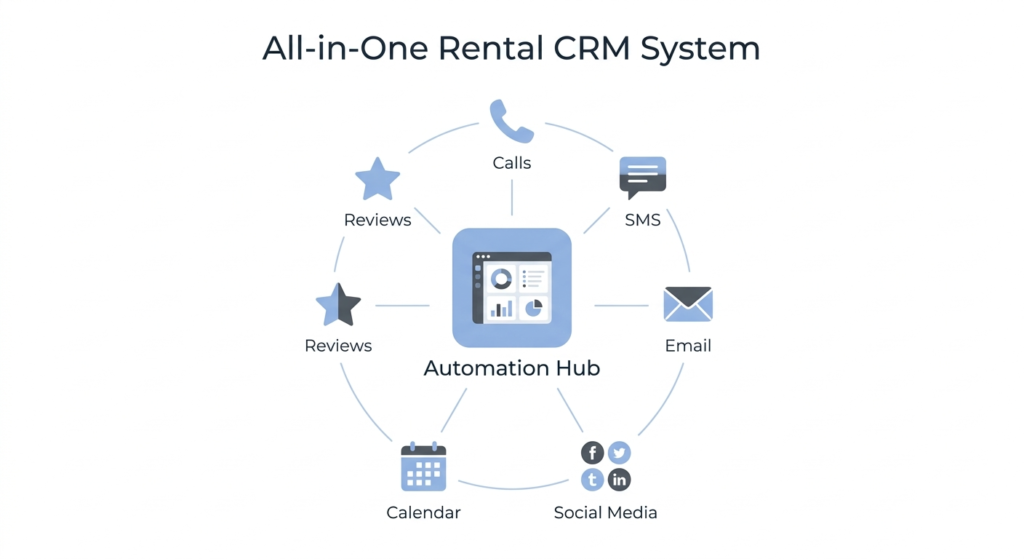
With GHL, all conversations can be managed from one dashboard, ensuring continuity even if customers switch channels.
Automated Reminder Sequences
Reminders are one of the most valuable parts of a reservation workflow.
They significantly reduce missed pickups and last-minute cancellations.
Recommended Reminder Timeline
48 hours before pickup
Confirms plans and gives time for changes
24 hours before pickup
Reinforces commitment
2 hours before pickup
Provides final details and directions
Each reminder can include:
- Booking details
- Location map
- Required documents
- Support contact
Handling Cancellations and Rescheduling
Customers appreciate flexibility. Automation can manage changes without overwhelming staff.
Options include:
- Self-service rescheduling links
- Cancellation workflows
- Rebooking incentives
- Waitlist notifications
When a booking cancels, the system can automatically offer the slot to other interested customers.
Payment and Deposit Automation
Securing deposits protects revenue and reduces no-shows.
Your workflow can:
- Send payment links
- Collect deposits automatically
- Issue invoices
- Confirm payment receipt
- Trigger booking approval
Payment confirmation messages reassure customers that everything is set.
Post-Rental Follow-Up
The reservation process doesn’t end at vehicle return. Post-rental automation turns one-time renters into loyal customers.
Effective Follow-Up Actions
- Thank-you message
- Review request
- Discount for future bookings
- Referral incentives
- Customer satisfaction survey
This stage builds long-term relationships and social proof.
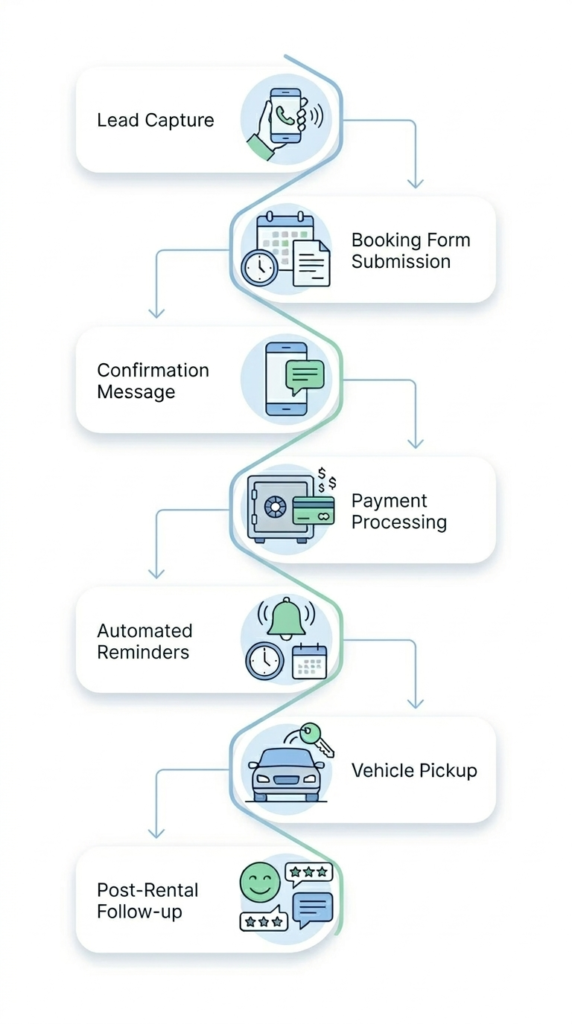
Practical Example of a Complete Workflow
Here’s how a typical automated journey might look:
- Customer fills out booking form
- Instant confirmation message sent
- Staff notified of new request
- Availability checked
- Booking approved
- Official confirmation sent
- Payment link delivered
- Reminder sequence triggered
- Pickup day instructions sent
- Post-rental follow-up initiated
All of this happens with minimal manual involvement.
Advanced Features to Consider
Once the basics are running smoothly, you can add powerful enhancements.
Intelligent Lead Qualification
Ask questions to filter serious renters from casual inquiries.
Upselling Opportunities
Offer upgrades, insurance packages, or add-ons automatically.
Customer Tagging
Segment customers based on preferences, history, or value.
Reporting and Analytics
Track conversion rates, booking sources, and revenue trends.
Automation becomes not just a convenience but a strategic growth tool.
Frequently Asked Questions
How long does it take to set up a reservation workflow?
Basic setups can be done in a few hours, while advanced systems may take several days depending on integrations and customization.
Can automation replace human staff completely?
No. Automation handles repetitive tasks, but staff are still essential for complex situations and customer service.
Is this suitable for small rental businesses?
Absolutely. Smaller businesses often benefit the most because automation reduces the need for large teams.
What if customers prefer speaking to a person?
You can include options to request a call or live assistance at any point in the workflow.
Does automation improve customer experience?
Yes. Faster responses, clear communication, and reminders make the process smoother and more reliable.
Conclusion
An automated vehicle reservation workflow transforms how rental businesses operate. Instead of juggling calls, messages, and paperwork, you gain a streamlined system that works tirelessly in the background.
By capturing leads instantly, confirming bookings, sending reminders, and nurturing relationships, automation increases both efficiency and revenue. Customers enjoy a seamless experience, while staff focus on delivering quality service rather than administrative tasks.
Whether you manage a small local fleet or a large rental operation, implementing a smart workflow is no longer optional — it’s essential for staying competitive in a world where convenience drives decisions.
When built thoughtfully, your automated system becomes more than just software. It becomes a reliable digital employee that never sleeps, never forgets, and never misses a booking opportunity.