GHL menu customization that points the right way
GHL menu customization in the live editor lets you move the menu to a top bar or either side, cut it down to what a rental desk uses, and restyle it. Premium adds 8 mega menu styles and a floating quick menu.
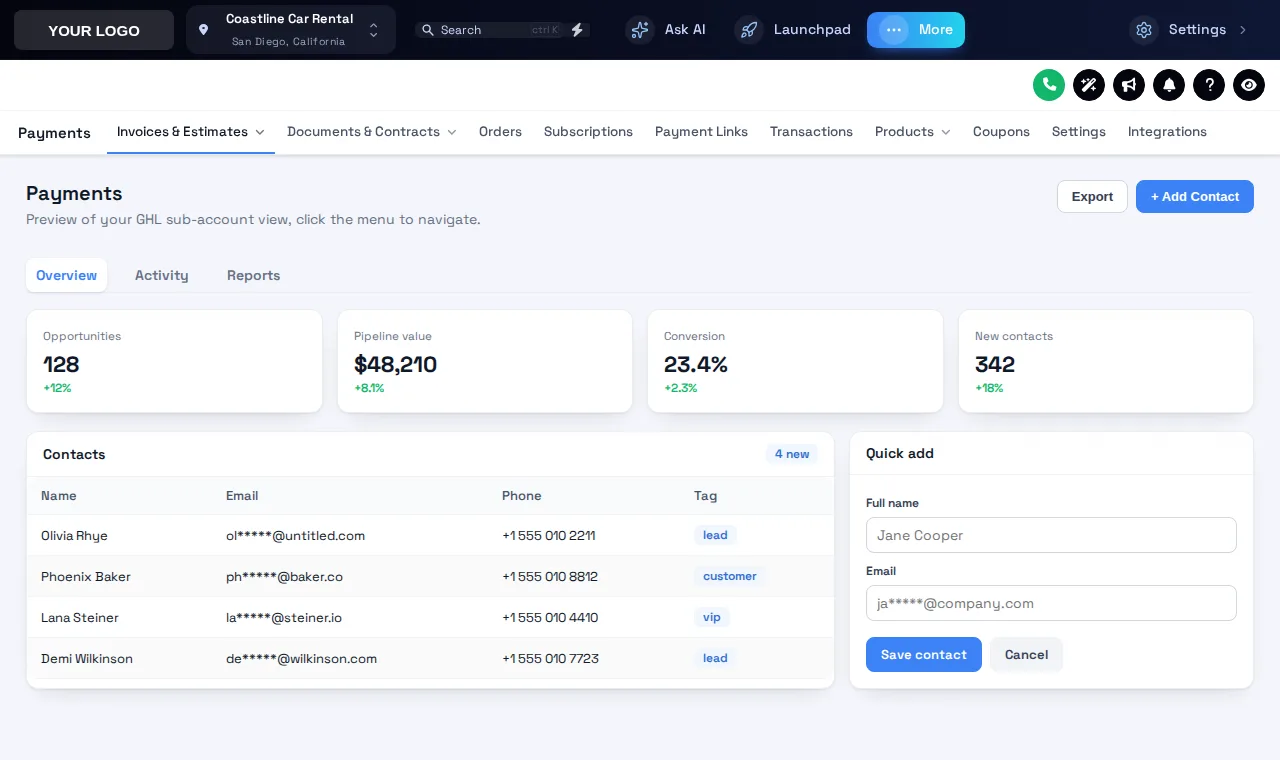
Sidebar, right dock or top bar
The Deep Space theme starts in top bar mode. Try a mega menu style and hover Sites, or collapse the sidebar to icons.
Fewer turns to the reservation
The stock GoHighLevel menu lists every tool for every industry. A rental desk lives in about five: Conversations, Calendars, Contacts, Opportunities and Payments. Cutting and reordering the menu puts those first and hides the rest from day-to-day view.
Counter staff answer a call, find the renter, check the booking and take the deposit. Every extra click in that loop is a renter waiting at the desk. A top bar on a wide monitor shows everything in one row; a quick menu keeps the five key screens one tap away on any page.
- POSMenu positionLeft, right dock or top bar
- TOP8 top bar stylesSolid, Floating, Glass, Brand gradient and more
- HDR8 header stylesThe bar above every page
- MEGA8 mega menu stylesFrom Premium
- QUICKFloating quick menu3 layouts, 8 designs, from Premium
A quick menu that follows your staff
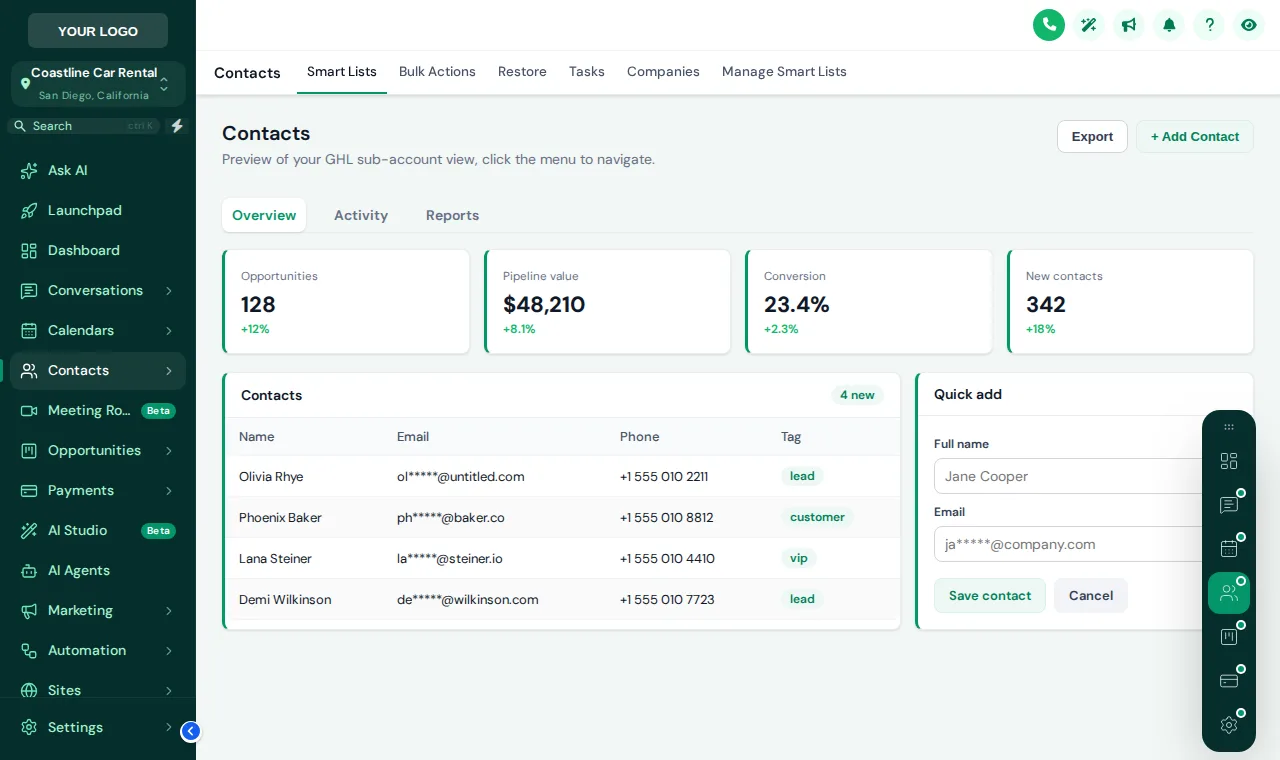
Forest Finance with a dark rail of shortcuts. Switch to the bubble or dock layout, change its design, and drag it by the grip.
How to customize the GoHighLevel sidebar menu
Pick where the menu lives
Left sidebar, right dock or a top bar across the screen. Top bar suits wide counter monitors; a sidebar suits laptops.
Trim and order the items
Hide the tools your rental clients never open and move Conversations, Calendars and Opportunities to the top.
Style sub-menus and the header
Choose a top bar style and a header style. With Premium, turn sub-menus into one of 8 mega menu styles.
Add a quick menu
With Premium, float a quick menu of shortcuts over every page as a bubble, dock or rail that staff can drag anywhere.
Layouts in every class, extras in Premium
Does not include this module. Upgrade to a higher class for it.
Includes mega menus and floating quick menu.
Includes mega menus and floating quick menu.
Sidebar or top-bar layout, item order and menu styling are in all three classes, including Economy.
GHL menu customization FAQs
What can I change about the GoHighLevel menu?
Its position (left, right or a top bar), the order and visibility of items, icons and labels, the top bar style (8 options), the header style (8 options) and, from Premium, mega menus and a floating quick menu.
Which top bar styles are there?
Solid, Floating, Glass, Brand gradient, Underline, Segmented, Centered, Slim.
What is a mega menu in GoHighLevel?
Instead of a plain list of sub-pages, hovering a menu item opens a wide panel with icons and descriptions. There are 8 styles: Columns, Split, Cascade, Tiles, Tabs, Icon rail, Accordion, Wide. Mega menus come with Premium.
Does hiding a menu item stop someone reaching the page?
No, hiding only removes it from the menu. To restrict access, combine it with privacy mode and GoHighLevel's own user permissions.
Can the agency view and sub-accounts have different menus?
Yes. Each view has its own list of items and its own settings, so agency staff and rental clients each see what suits them.
Will the menu break when GoHighLevel adds a new page?
Items GoHighLevel adds are appended automatically unless you turn that off, and clicks go to GoHighLevel's own links, so navigation keeps working.
What is the floating quick menu?
A small menu of shortcuts that floats over every GoHighLevel page, in 3 layouts and 8 designs. Staff can drag it out of the way. It comes with Premium.
Which class do I need for menus?
Sidebar or top-bar layout, ordering and styling are in every class from Economy ($187). Mega menus and the quick menu need Premium ($427).
Do settings pages still work in top bar mode?
Yes. Settings pages keep a clear way back, the settings links sit in the top bar, and you can pin individual settings pages to the quick menu.
Related pages
Get mega menus and a quick menu with Premium
Everything in Economy plus mega menus, a floating quick menu, the dashboard and pipeline designers, the contact actions bar and announcements.
GoHighLevel and HighLevel are trademarks of HighLevel Inc. GHL Car Rental Snapshot is independent and is not affiliated with, endorsed by or sponsored by HighLevel. The GHL Customizer runs on the GHL Customer Care customizer platform; accounts sold here are created on that platform.