A GoHighLevel white label theme in your own paint
A GoHighLevel white label theme restyles the whole app, not just the logo: 27 themes, 11 UI kits, your colors and dark mode, set up yourself in a live editor. Every class includes it, starting with Economy.
Swap the paint, the trim and the lights
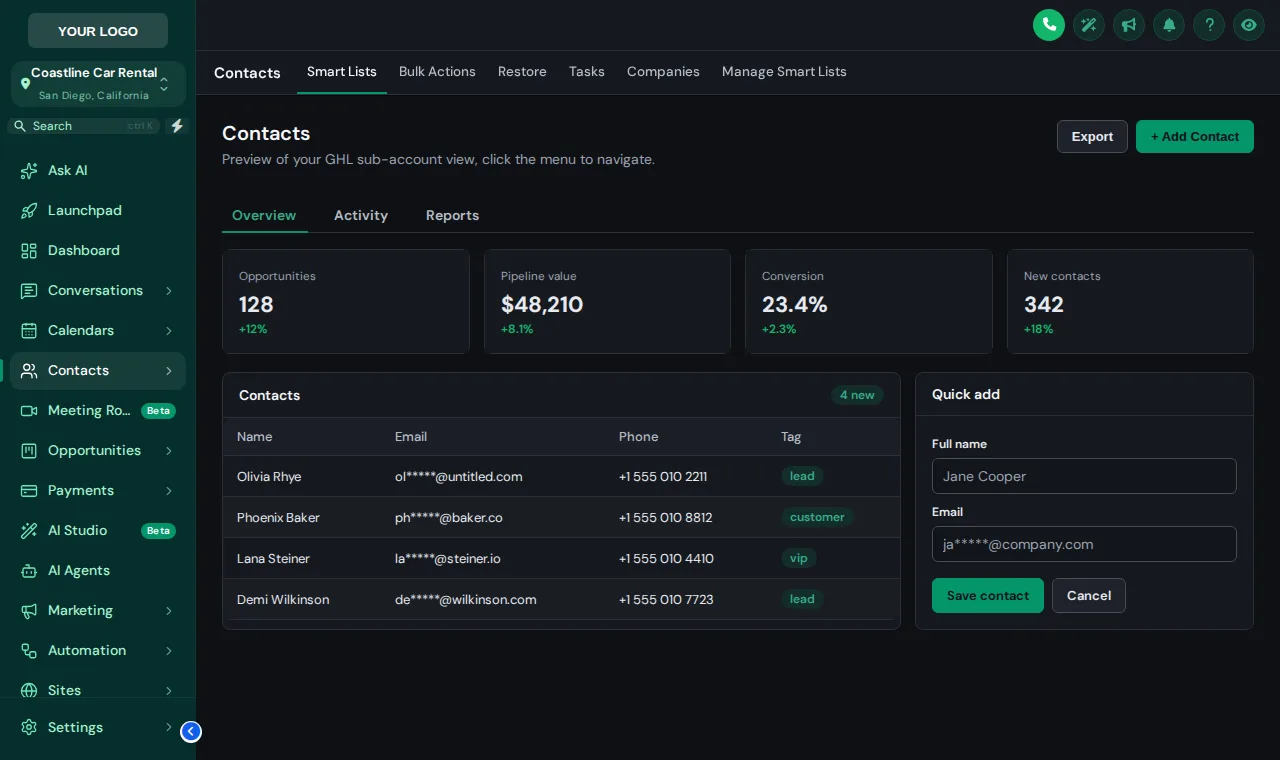
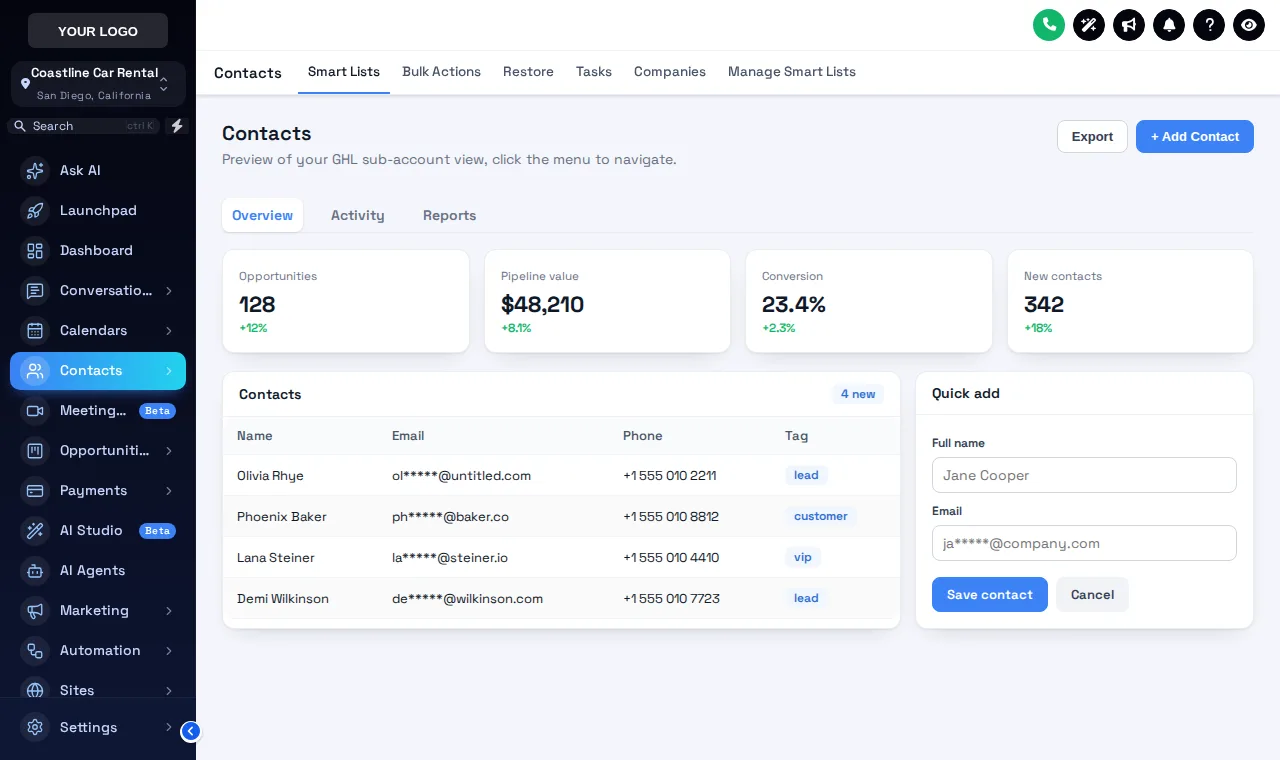
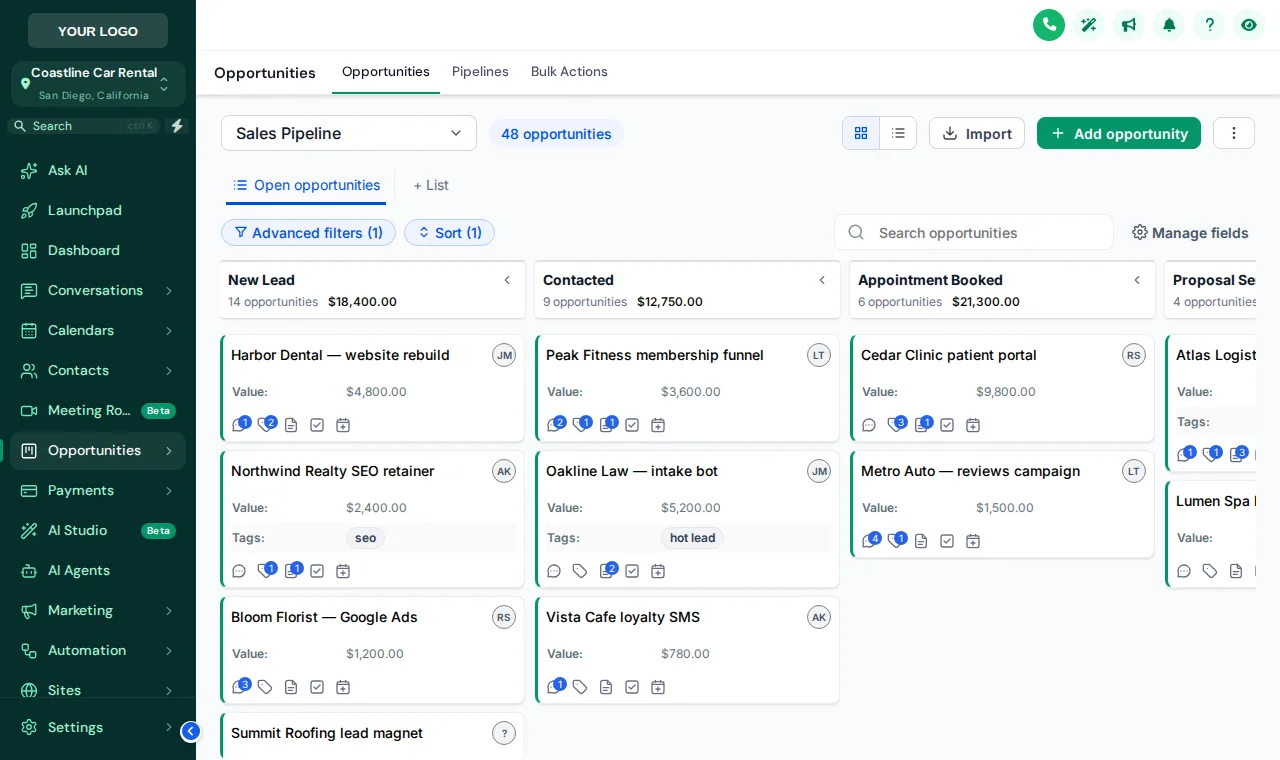
Midnight Sky with the Bordered Flat kit is loaded first. Try Deep Space and Forest Finance, then switch dark mode on and open the contacts page.
What a GHL theme actually changes
A GHL theme changes the sidebar, header, page background, cards, buttons, inputs, tables, tabs and modals across GoHighLevel, and remaps the default blues to your brand color. It does not touch your data, workflows or settings.
For a rental agency, that means the client who opens their account at 7am to check overnight reservations sees your brand, not a generic CRM. For an operator, it means counter staff work in an interface that matches the cars, the website and the signage.
The 11 UI kits are the trim level: Bordered Flat for a clean, utilitarian desk; Glass or Halo Glow for a showroom feel; Brutalist if you want something nobody else has.
- Themes
- 27 complete themes
- Dark themes
- 3 built dark, plus a dark mode switch
- UI kits
- 11 card and button styles
- Themes with a matching login
- 15 of 27
- Menu position
- Left, right or top bar
- Included from
- Economy ($187 once)
Three paint jobs, one in the dark
How to apply a theme to every sub-account
Start from a theme
Pick one of 27 themes as the base coat, for example Midnight Sky for a night-time luxury feel or Forest Finance for a calm, trustworthy look.
Add your logo and colors
Upload your logo, set your brand color and let the color remap replace the blues GoHighLevel hard-codes on its pages.
Choose a UI kit and dark mode
Swap the card and button style with one of 11 UI kits, then decide whether dark mode is on.
Publish
Hit publish. The loader already in your agency settings shows the new look on every sub-account on the next page load.
Which theme suits which fleet
Midnight Sky or Royal Navy and Gold
Deep, quiet colors that suit high-value rentals, with a matching animated login for Midnight Sky.
Deep Space or Midnight Mint
Easy on the eyes for night shifts, with cyan or mint accents that stay readable.
Forest Finance or Arctic Clean
Calm, clear and friendly. Arctic Clean moves the menu to a top bar for wide screens at the counter.
One base, many brands
Start every client from the same theme and change the brand color per workspace.
Themes come with every class
Includes 27 themes, 11 UI kits, colors and logo.
Includes 27 themes, 11 UI kits, colors and logo.
Includes 27 themes, 11 UI kits, colors and logo.
GoHighLevel white label theme FAQs
What is a GoHighLevel white label theme?
It is a complete visual layer over GoHighLevel: sidebar, header, page background, cards, buttons, inputs, tables, tabs and modals in your brand. The customizer ships 27 ready-made themes that you adjust in a live editor, rather than a logo swap.
How is this different from GoHighLevel's own white-label settings?
GoHighLevel's settings change your logo, domain and a color or two. A theme restyles the whole app and remaps the hard-coded blues on its pages, so it looks like your product instead of a lightly branded copy.
Which themes are dark?
Graphite Pro, Obsidian OLED, Midnight Mint are full dark themes. Any other theme can also run with dark mode switched on, which borrows a dark palette for surfaces, borders and text.
What is a UI kit?
A UI kit changes the shape of the interface rather than its colors: shadows, borders, radius and highlights on cards and buttons. There are 11: Soft Shadow, Bordered Flat, Elevated, Glass, Accent Top, Side Accent, Brutalist, Studio Gradient, Halo Glow, Crisp Highlight, Rounded Pill.
Can I use my own brand colors instead of a preset?
Yes. Themes are a starting point. Colors, fonts, radius and shadows can all be changed in the editor, and the live preview updates as you go.
Does dark mode apply to the login page?
No. Dark mode applies to GoHighLevel pages with the sidebar. The login page has its own design, picked from the login page designs.
Will every sub-account get the same theme?
Yes, by default every sub-account and the agency view get the published theme. Separate brands can use separate workspaces, each with its own design and install code.
Are there screens a theme cannot restyle?
A few, such as parts of Location Settings, load inside a frame from another domain. Browsers do not allow outside styling there, so those keep the stock look.
Which class includes themes and dark mode?
Every class. Themes, UI kits, dark mode, your logo and colors are all in Economy at $187, and in the classes above it.
Can I try a theme before buying?
Yes. The test drive on this page runs the real theme engine on a copy of the GoHighLevel interface. Swap themes, kits and dark mode as much as you like.
Related pages
Repaint GoHighLevel for $187
Every theme, UI kit and dark mode, your logo and colors, and all the login designs. One-time payment, lifetime access.
GoHighLevel and HighLevel are trademarks of HighLevel Inc. GHL Car Rental Snapshot is independent and is not affiliated with, endorsed by or sponsored by HighLevel. The GHL Customizer runs on the GHL Customer Care customizer platform; accounts sold here are created on that platform.